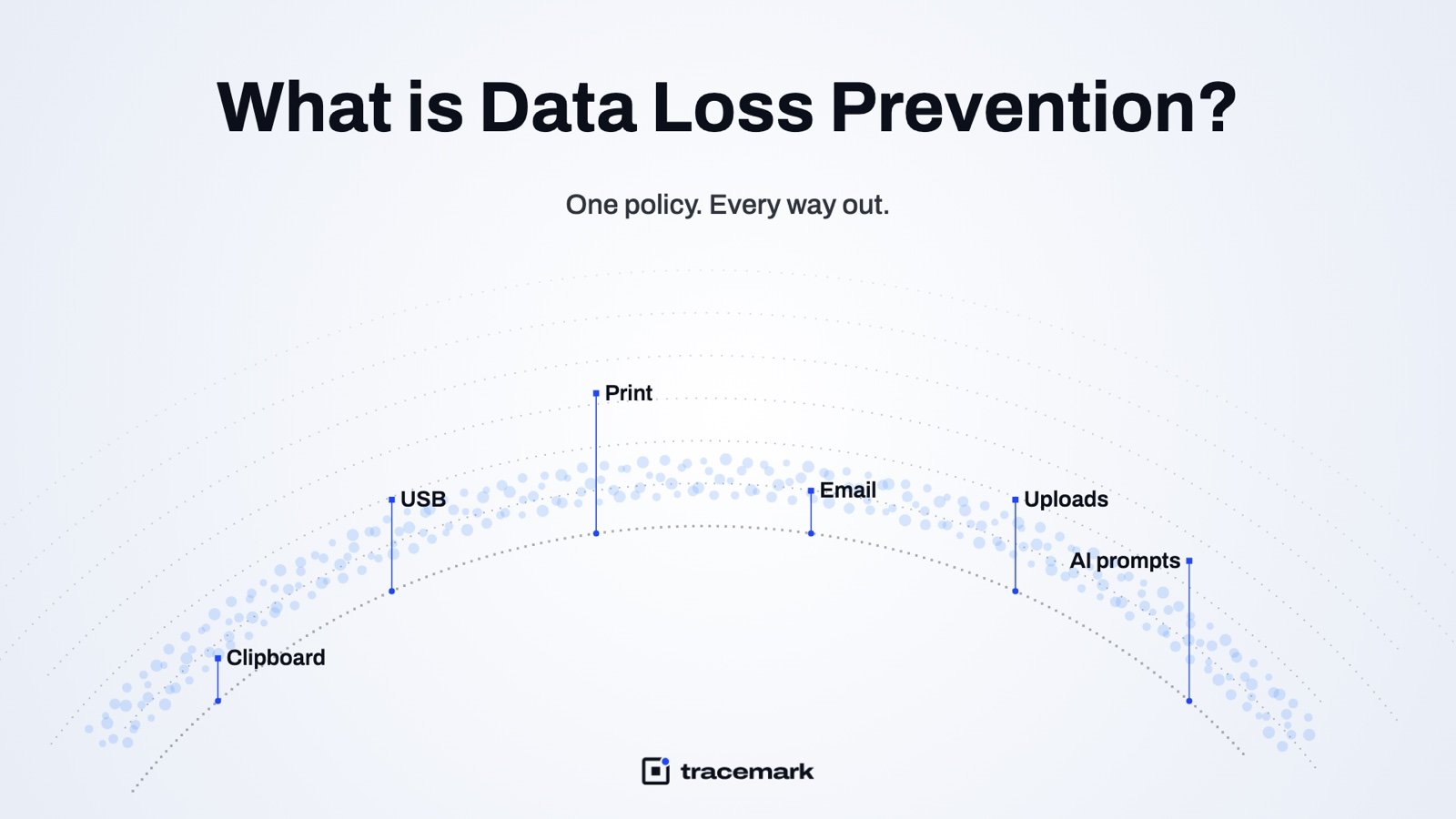
Data loss prevention (DLP) is the set of controls that stops confidential data from leaving your company through a channel you did not approve. A DLP tool looks at what a file or a piece of text actually contains, decides whether it is sensitive, and then warns, asks for a reason, or blocks when someone tries to paste it, copy it to a USB stick, print it, upload it, email it, or type it into an AI chat. This guide explains how DLP works, where most rollouts go wrong, what a good DLP policy looks like, and gives you a checklist you can use whether or not you ever buy DLP software.
What data loss prevention is, and why you need it
DLP is about data in use and data in motion. It does not encrypt disks, scan for malware, or replace backups. Its job is narrower: know which data is confidential, watch the ways that data can leave, and act at the moment of the attempt.
Three parts have to work together:
- Detection. Something has to decide that a file or a string is sensitive: a built-in detector (card numbers, national IDs, IBANs, source code), a custom pattern or keyword list, a fingerprint of a specific document, or a classification label already on the file.
- Channels. The ways data gets out. Clipboard, removable storage, print, web uploads, email, and AI prompts are the common ones. A control that covers only email will not notice the same spreadsheet leaving over a browser upload.
- Response. What happens at the moment of the attempt: log it, warn the user, ask for a justification, or block.
A fourth part is often forgotten: evidence. Every decision needs a record of who, what, channel, policy and outcome. Without it, DLP is an opinion, not a control.
Why bother? Many leaks are not sophisticated. A salesperson exports the customer list before leaving. An analyst pastes a contract into a chatbot to summarize it. A contractor copies a project folder to a personal drive. None of these involve malware, and none are caught by a firewall or antivirus.
Regulation adds a second reason. GDPR, PCI DSS and sector rules expect you to show that personal and payment data is handled with care. The NIST Cybersecurity Framework includes data security (PR.DS) as a category under its Protect function (https://www.nist.gov/cyberframework). An auditor will ask how you know confidential data is not leaving on USB sticks. "We trust our people" is not an answer they accept. The third reason is visibility: without DLP, nothing is counting.
The channels a DLP policy has to cover
A DLP policy is only as good as its weakest channel.
| Channel | Typical leak | What good coverage looks like |
|---|---|---|
| Clipboard | Pasting records from an internal app into a web form or chat | Inspect pasted text, act before it lands in the destination |
| USB and file copy | Copying folders to a personal stick | Check file content on copy, not just the file name |
| Printing a customer list on the way out | Inspect the print job, log or block | |
| Web uploads | Personal cloud, web mail, transfer sites | Inspect the file in the browser before it is sent |
| Attachment to a personal address | Classify on send, in the mail client and in web mail | |
| AI prompts | Pasting source code or contracts into a chatbot | Inspect the prompt before it leaves the browser |
Clipboard leaks are often the least covered; see Clipboard DLP: how to stop copy-paste leaks of confidential data. Print is the one almost every rollout forgets; see Print DLP: the way out everyone forgets.
Endpoint or network?
DLP can run on the endpoint (an agent on each laptop) or on the network (a proxy or mail gateway). Network DLP sees traffic but not the clipboard, USB, print, or anything encrypted end to end. Endpoint DLP sees all of that and keeps working when the laptop is at home or offline. The trade-off is covered in Endpoint DLP vs network DLP: which one do you need?.
How DLP detection works
Detection is where DLP tools differ most. The approaches, from weakest to strongest:
- File name and extension. Cheap, and useless against a renamed file.
- Pattern matching. Regular expressions for card numbers, IDs, phone numbers. Fast, but a 16-digit number is not always a card number. Good tools corroborate a pattern with a checksum, a nearby keyword, or a structure.
- Keyword and custom categories. Project code names, "confidential", internal product names. Easy to tune for your business.
- Exact data matching. A fingerprint of specific records, such as the real customer table. A match means these exact rows, not something that looks like them.
- Document fingerprinting. A fingerprint of a specific document, so a copy or a partial copy of the board deck is recognized.
- OCR. Text inside screenshots and scanned images. Without it, a screenshot of the customer list passes every other check.
- Classification labels. If a file already carries a level (public, internal, confidential, restricted), the policy can act on the label. Labels are covered in Automatic data classification: giving every file a level.
The best setups layer these. A single detector produces noise; a pattern plus a keyword plus a label produces decisions you can trust.
Choosing the response: warn, justify, or block
The most common DLP failure is not a missed leak. It is a rollout that blocks so much legitimate work that the business switches it off within a month.
The practical answer is a ladder of responses, chosen per channel and per data level:
- Log only. Record the event, say nothing. Use this for the first weeks to learn what actually happens.
- Warn. Tell the user the data is confidential and let them continue. Many accidental leaks stop here, because the person did not know.
- Justify. Ask for a reason before continuing. The action goes through, the reason is stored. For actions that are legitimate but should be rare.
- Block. Stop the action. Reserve this for the highest data level on the riskiest channels, such as restricted records to a personal cloud or an AI tool.
A reasonable starting matrix: internal data is logged everywhere, confidential data warns on most channels and asks for a reason on uploads and email, restricted data blocks on USB, uploads, print and AI prompts. Adjust after a month of evidence.
Rolling out without stopping work
- Start in log-only mode on a pilot group that represents real roles, not just IT.
- Review the incidents weekly. Every false positive is a tuning task, not a reason to disable the policy.
- Move one channel at a time from log to warn, then to justify.
- Block only where the evidence shows the action is almost never legitimate.
- Tell people. A short notice explaining the warning cuts support tickets.
DLP checklist
A mature DLP program has one policy that describes the data and the levels, with each channel applying it. Detection reads content, including inside images. The response is proportionate and explained on screen. Repeated events from one person feed an insider risk signal; see Insider risk management: from signals to cases. And the policy covers AI tools, because that is where copy-paste goes today; see How to stop employees pasting confidential data into ChatGPT and other AI tools.
Use this list to assess what you have or are about to buy.
- Which data levels exist, and who decides what goes in each?
- Do you have a list of detectors that matches your actual data (IDs, cards, contracts, code, customer tables)?
- Can you fingerprint the real customer list, not just a pattern that resembles it?
- Is text inside images and screenshots inspected?
- Is each channel covered: clipboard, USB and file copy, print, web uploads, email in the client and in web mail, AI prompts?
- Can the response differ per channel and per level: log, warn, justify, block?
- Does the user see why they were warned or blocked?
- Is every decision stored with who, what, channel, policy and outcome?
- Can you search the incident queue, save a view, export CSV, and hand an evidence pack to HR or legal?
- Does enforcement continue when the device is offline?
- Does the policy work on macOS and Linux where those exist in your estate?
- Is there a pilot group and a log-only phase before any blocking?
- Who reviews false positives, and how often?
How Tracemark does it
Tracemark delivers data loss prevention through one agent on every endpoint and one console. One policy covers every way out: clipboard paste, USB and file copy, print, uploads to personal cloud, web mail and transfer sites, email through an Outlook add-in that classifies on send (web mail too), and AI prompts checked in the browser before they are sent.
Detection reads what is actually in the file, not just the name. There are dozens of built-in detectors, custom categories by keyword and pattern, exact-data fingerprinting of records such as a customer list, document fingerprinting, and OCR of text inside images. The Data Security Posture product gives every discovered file a classification level, where the strictest signal wins and only an admin review can lower it.
Per channel, the policy can warn, ask the user for a reason, or block. Every decision is kept as evidence in the Incidents queue with who, what, channel, policy and outcome. The queue has search, saved views, CSV export and evidence packs for the cases that go to HR or legal.
The agent works offline: policies are cached on the device and events are queued until the connection returns. Clipboard DLP also runs on macOS and Linux. The same agent provides device control for USB storage by serial number, described in USB device control: block removable storage without blocking work.
Frequently asked questions
What is the difference between DLP and data leak prevention?
They are the same thing. "Data loss prevention" is the common term; "data leak prevention" and "data leakage prevention" describe the same category of controls that stop confidential data from leaving through an unapproved channel.
Does DLP slow down the computer?
An endpoint agent inspects content at the moment of the action (paste, copy, upload). In normal use the user notices the warning dialog, not the inspection. Measure it in your pilot group.
Will DLP stop a determined insider?
It raises the cost. Someone set on taking data will try several channels, and a policy that covers all of them produces a trail of blocked attempts and justifications. That trail turns a suspicion into a case. DLP works best together with insider risk signals and device control.
How long does a DLP rollout take?
Plan a log-only pilot on a representative group, then move channels from warn to justify to block as the evidence allows. Most of the time goes into tuning detectors to your real data, not into installing software.
Try it
Try Tracemark free for three months. Claim it at tracemark.ca