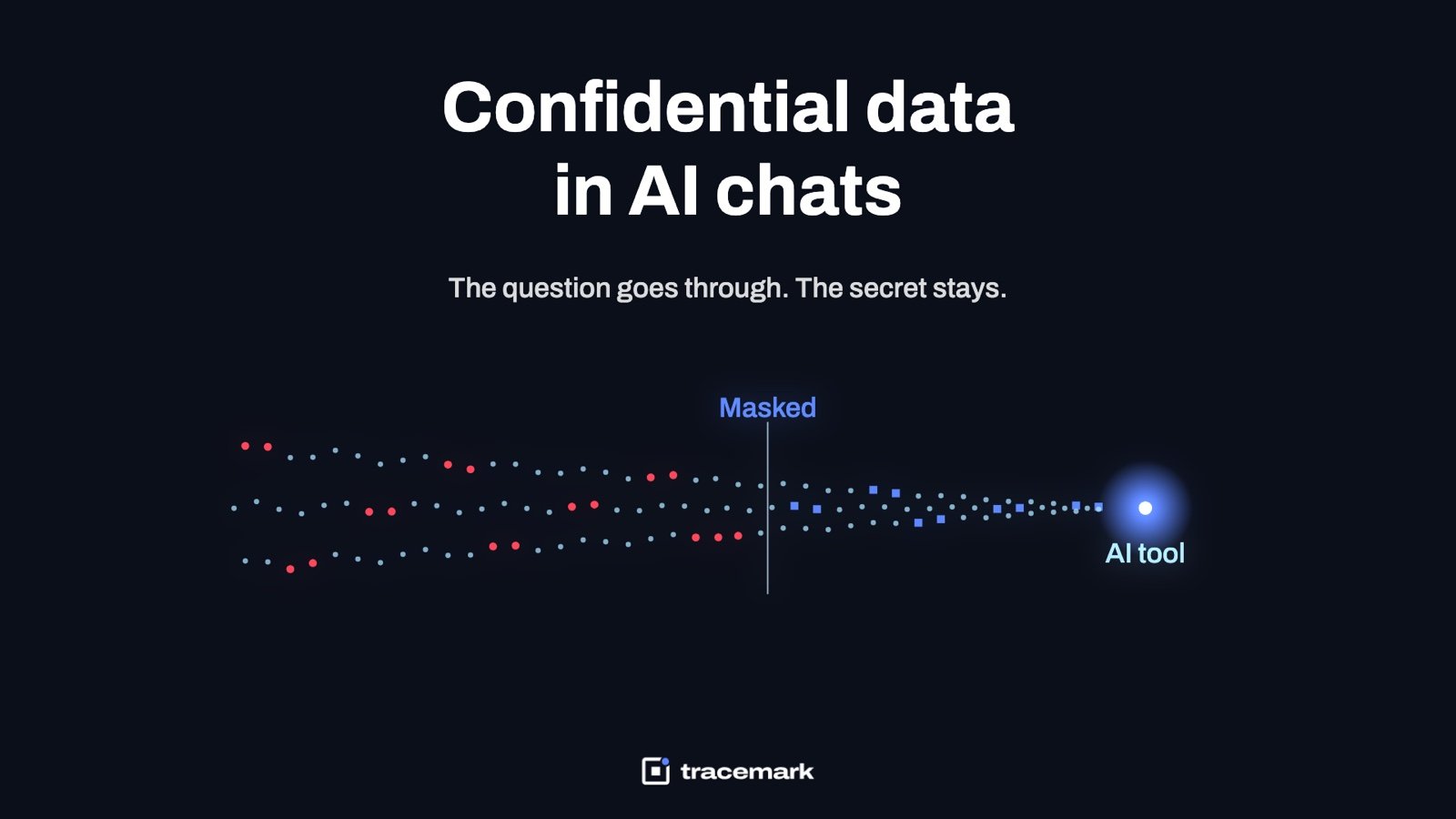
ChatGPT data leak prevention comes down to one moment: the second before an employee presses Enter on a prompt that contains a customer record, a contract clause, or a block of source code. Blocking the whole site does not stop that moment, because the same employee opens a different AI tool or uses a personal phone. What works is checking the prompt itself, in the browser, before it leaves the device, and then masking or blocking only the confidential part. This guide explains why the problem is hard, what a generative AI security policy should say, which controls actually hold, and a checklist you can run this week.
Why AI prompts are a new way out for data
Most data protection programs were built around files. A file is copied to a USB stick, attached to an email, uploaded to a personal cloud. Each of those channels has a known control. A prompt to an AI assistant is different in three ways.
First, it is text, not a file. The employee does not attach the customer list. They paste twenty rows of it into a chat box and ask for a summary. Nothing in the file system changes, so file-based tools see nothing.
Second, it is useful. People paste confidential data into AI tools because the tool helps them finish work faster. A developer pastes a stack trace that contains an internal hostname and an API key. A finance analyst pastes a spreadsheet extract to get a formula. None of them are trying to leak anything.
Third, where the text goes is unclear. Consumer AI services have varied terms on whether prompts are retained, and those terms change. The safe assumption is that a prompt sent to a service outside your control is data you no longer control. The OWASP Top 10 for LLM Applications lists sensitive information disclosure as a standing risk category for exactly this reason (https://owasp.org/www-project-top-10-for-large-language-model-applications/).
What usually goes wrong with the first attempt
Most organizations try one of three things first, and each one fails in a predictable way.
Blocking the domain
The firewall or web proxy blocks chat.openai.com and a handful of other names. Within a week, staff have moved to a tool that is not on the list, or to a phone over mobile data. The block also catches legitimate use, so exceptions pile up and the rule erodes. This is the shadow AI problem; the article on finding every AI tool your employees use covers it in detail.
A policy document alone
An AI acceptable use policy is necessary, and we cover what it should contain below. But a policy that is not enforced on the endpoint is advice. Under deadline pressure, advice loses.
Network DLP
Inspecting traffic at the gateway sounds right until you meet TLS and remote staff who are not behind the gateway at all. Network inspection also sees the request after the user has committed to sending it, so the only options are allow or drop, with no way to let a harmless question through while removing the secret. The trade-offs are laid out in endpoint DLP vs network DLP.
What good looks like: checking the prompt, not the site
The control that holds is a browser-level check of the prompt text before it is submitted. It has to meet four requirements.
It runs in the browser, on every endpoint. The check happens where the text is typed, so it works on the office network, at home, and in a coffee shop. It is installed by policy so a user cannot remove it.
It reads content, not just URLs. A card number, a national ID, a customer name next to an address, a block of code with a key in it: these are patterns and fingerprints in the text. The check needs the same detectors your file DLP uses, so a record that is confidential in a spreadsheet is confidential in a prompt.
It can mask instead of block. This is the detail that decides whether users accept the control. If an analyst asks "explain this formula" and pastes a sheet with customer names, the right outcome is that the question goes through and the names are replaced with placeholders. The analyst still gets the answer. Blocking the whole prompt teaches people to work around the control. Masking teaches them that the control is on their side.
It keeps evidence. Every decision, whether allowed, masked, warned, or blocked, is recorded with the user, the tool, the time, and what was found. Without the log you cannot answer the question the board will ask after an incident: did any of our data go into that tool?
A fifth requirement is often forgotten: a file dragged into a chat window is an upload and must be checked as one.
Writing the generative AI security policy
The technical control needs a written policy behind it, so that users know the rules and so that a masked prompt is not a surprise. Keep the policy to one page. It should answer five questions.
| Question | What to write |
|---|---|
| Which tools are approved? | Name the sanctioned tools and the account type (company tenant, not personal login). |
| What can go into a prompt? | Public and internal information. State plainly that confidential and restricted data may not be pasted, and give three examples from your own business. |
| What happens if someone does? | The prompt is masked or blocked, and the event is logged. Say this openly; it is a deterrent, not a trap. |
| How do I get a tool approved? | A request path with a named owner and a turnaround time. |
| Who reviews the log? | The role, the frequency, and what triggers a conversation with the user. |
Tie the policy to your existing classification levels. If documents are already labeled public, internal, confidential and restricted, the AI rule is simply "confidential and above do not go into prompts". The guide to automatic data classification explains how to get levels onto files in the first place.
NIST's AI Risk Management Framework is a useful reference when you need to show an auditor that the policy maps to a recognized structure (https://www.nist.gov/itl/ai-risk-management-framework).
Deciding between mask, warn and block
Not every prompt deserves the same response. A workable starting matrix:
| What is detected | Sanctioned tool | Unsanctioned tool |
|---|---|---|
| Nothing confidential | Allow | Allow, log the tool as seen |
| Personal data (names, IDs, contact details) | Mask | Mask or block |
| Exact match on a protected record set (customer list, payroll) | Block | Block |
| Source code with credentials or internal hostnames | Mask the secret | Block |
| Restricted document dropped as a file | Block | Block |
Two rules keep this honest. Start with warn-and-log for two weeks before turning on mask and block, so you learn what people actually paste. And when you do block, tell the user why, in one sentence, with a way to ask for an exception. A silent block is read as a broken website.
ChatGPT data leak prevention checklist
Run this list before you call the control done.
- Inventory which AI tools are in use today, including browser-only tools and extensions, before writing the approved list.
- Pick the sanctioned tools and move users to company accounts on them.
- Publish a one-page AI acceptable use policy tied to your existing classification levels.
- Install the prompt-checking extension in Chrome and Edge by policy, so users cannot remove it. The steps are in force-installing a browser extension.
- Reuse the same detectors as your file and clipboard DLP: personal data, card and account numbers, your custom keywords, and fingerprints of protected record sets.
- Treat files dropped into chat windows as uploads and check them the same way.
- Start in warn-and-log mode, review a week of events, then enable masking for personal data and blocking for fingerprinted records.
- Write the block message in plain language with an exception path.
- Confirm the log answers: who, which tool, what was found, what happened, and which file if any.
- Review the log weekly for the first month, then monthly, and feed repeat offenders into your insider risk process.
- Re-check the tool inventory each quarter.
How Tracemark does it
Tracemark's AI Security product checks every prompt to an AI tool in the browser before it is sent. The check runs in a browser extension that is installed in Chrome and Edge by policy.
When a prompt contains confidential text, Tracemark can mask it, so the question goes through and the secret stays, or block it, depending on policy. AI prompts are one of the channels in Tracemark's Data Loss Prevention policy, which reads what is actually in the content: dozens of built-in detectors, custom categories by keyword and pattern, exact-data fingerprinting of records such as a customer list, document fingerprinting, and OCR of text inside images. Files dropped into an AI chat are checked like any other upload.
The AI activity log shows who sent what, to which tool, and which file was involved. Every decision is kept as evidence in the Incidents queue, with search, saved views, CSV export and evidence packs. An inventory of every AI tool in use marks each as sanctioned, blocked, or seen, so the approved list in your policy and the reality on the endpoints stay aligned.
Because it is the same agent and console as Tracemark's clipboard, USB, print, upload and email controls, one policy covers the AI channel alongside every other way out, and the user sees one consistent set of rules.
Frequently asked questions
Should we just block ChatGPT at work?
Blocking the site alone rarely holds. Staff move to another tool or a personal device, and the block catches useful work. A better model is to approve specific tools on company accounts and check the content of prompts to all tools, so the harmful paste is stopped without stopping the task.
Does masking change the answer the user gets?
Usually not in a way that matters. Replacing a customer name with a placeholder leaves the structure of the question intact. For "summarize this" or "fix this formula", the model does not need the real values.
Can a prompt check see inside pasted images or screenshots?
Only if the control has OCR. People increasingly paste screenshots of spreadsheets and dashboards into AI tools. A text-only check misses them. Make OCR of pasted and dropped images a requirement when you evaluate a control.
How is this different from clipboard DLP?
Clipboard DLP watches what is copied and where it is pasted at the operating system level. A prompt check watches what is submitted to a specific AI service in the browser and can act on the request itself, including masking part of it. The two overlap and work best together; see clipboard DLP for copy-paste leaks.
Try it
Try Tracemark free for three months. Claim it at tracemark.ca